
Initial Stakeholder Register – Free Download Word
Introduction to the Stakeholder Register
The Stakeholder Register is one of the first documents created during the project initiation phase, yet it remains one of the most frequently referenced documents throughout the entire project lifecycle. A project is not merely a collection of tasks, deadlines, and budgets. At its core, a project is a social network of individuals who are working together (or sometimes against each other) to change a specific reality. The Stakeholder Register is the map of this social network.
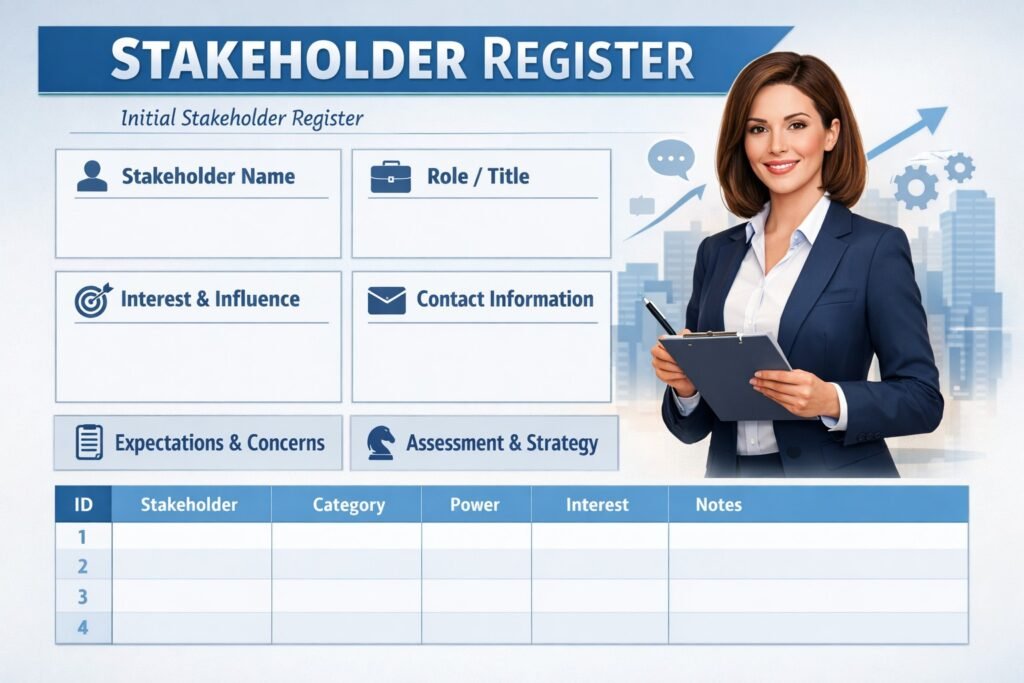
The purpose of the Initial Stakeholder Register is to capture the details of anyone who has an interest in the project, who can influence the project, or who will be affected by the project’s outcome. It is far more than a simple contact list or an address book. It is a strategic assessment tool used to understand the human landscape of your initiative.
Failing to identify a key stakeholder early is a common cause of project failure. We have all seen the scenario: the project is 90% complete, the team is preparing for launch, and suddenly a Department Head from “Compliance” or “Security” appears. They ask a question that should have been asked six months ago. Because they were not consulted, they use their veto power to halt the project. This is known as the “Stakeholder Ambush.” This template is your primary defense against such scenarios.
This guide provides a comprehensive breakdown of the columns and categories you need to include in your register. It also provides “soft skill” advice on how to gather this information discreetly and how to manage the sensitive nature of the data you are collecting.
Section 1: Stakeholder Identification Strategy (Pre-Work)
Guidance for Completion
Before you can fill in the rows of the register, you must find the people. Do not rely solely on your own knowledge or the Project Charter. You must cast a wide net. Identification is an active process, not a passive one.
The “Spiderweb” Identification Method
To ensure you do not miss anyone, use these prompts to brainstorm names:
- Upwards: Who is providing the money? Who effectively “owns” the resources you need? (Sponsors, Executives, Portfolio Directors).
- Downwards: Who will actually do the work? (The team, contractors, suppliers).
- Sideways: Who are the peers that need to be informed? (Other Project Managers, Functional Managers like HR or Finance).
- Outwards: Who are the external parties? (Regulators, Customers, Unions, Local Communities, Shareholders).
The “Silent” Stakeholders
Do not forget the people who are not in the room. These include:
- The Maintainers: The support team who will run the system after you leave.
- The Negative Stakeholders: People who benefit from the current broken process and will lose power if you fix it.
- The Dependents: Other projects that are waiting for your project to finish so they can start.
Section 2: General Identity Information
Guidance for Completion
This section contains the objective, factual data about the stakeholder. It is the “Phonebook” section of the register. Accuracy here is vital for professional communication.
Columns to Include
- Stakeholder ID: Assign a unique number (e.g., SH-001, SH-002). This helps if you are using database tools or want to refer to stakeholders anonymously in other reports.
- Name: The full legal name.
- Job Title: Their official corporate title.
- Role in Project: This is different from their Job Title. A “Vice President” (Job Title) might be a “Subject Matter Expert” (Project Role).
- Department/Organization: Which vertical do they belong to? (e.g., Marketing, IT, Vendor X).
- Contact Information: Email and phone number.
- Location/Time Zone: Critical for scheduling meetings in global teams.
Draft Example
- ID: SH-004
- Name: Robert Vance
- Job Title: Senior Director of Logistics
- Role in Project: Lead User / Business Acceptance Approver
- Dept: Supply Chain Operations
- Location: Berlin (CET)
Section 3: Assessment of Power and Interest
Guidance for Completion
This is where the register transitions from a contact list to a strategic tool. You must assess each stakeholder based on two primary dimensions: Power and Interest. This creates the foundation for the “Power/Interest Grid” (which will be detailed in Template 6), but the raw data lives here in the register.
Defining Power
Power is the ability to influence the project’s outcome. It answers the question: Can this person stop the project?
- High Power: They can shut the project down or force a major scope change (e.g., Sponsor, CEO, Regulator).
- Medium Power: They can cause significant delays or resource issues (e.g., Functional Managers).
- Low Power: They have opinions but cannot enforce them (e.g., Junior Staff, End Users).
Defining Interest
Interest is the level of concern the stakeholder has regarding the project. It answers the question: Does this person care?
- High Interest: The project directly impacts their daily job or bonus (e.g., End Users, The Problem Owner).
- Medium Interest: They need to know what is happening but are not losing sleep over it (e.g., Peer Departments).
- Low Interest: They are barely aware the project exists (e.g., Procurement Admin).
Coding the Columns
You can use a High/Medium/Low scale or a 1-5 numerical scale. Be consistent.
Draft Example
- Stakeholder: CFO
- Power: High (Controls the budget release).
- Interest: Low (Only cares if we go over budget; otherwise, does not want to hear from us).
- Stakeholder: Warehouse Shift Supervisor
- Power: Low (Cannot cancel the project).
- Interest: High (The new system changes his entire daily workflow).
Section 4: Current vs. Desired Engagement Level
Guidance for Completion
This section acts as a “Gap Analysis” for relationships. It helps you understand how much work you need to do to get the stakeholder to the necessary state of mind.
The C/D Assessment Scale
For each stakeholder, assign a status for Current (C) state and Desired (D) state using these five categories:
- Unaware: Does not know the project exists.
- Resistant: Aware of the project but opposes the change.
- Neutral: Aware but neither supportive nor resistant.
- Supportive: Agreeable to the change and willing to help.
- Leading: Actively engaged in ensuring the project succeeds.
Strategy Implementation
- Scenario A (No Gap): Current = Supportive, Desired = Supportive. Action: Maintain relationship.
- Scenario B (The Gap): Current = Resistant, Desired = Neutral. Action: You need a mitigation plan. Note that you do not always need to move a “Resistant” person to “Supportive.” Sometimes, moving them to “Neutral” (so they stop blocking you) is enough.
Draft Example
- Stakeholder: Legacy System Admin
- Current State: Resistant (Fears the new system will make his skills obsolete).
- Desired State: Neutral (We need him to provide data migration passwords without delay).
- Gap Action: Offer training on the new system to show him a future career path.
Section 5: Stakeholder Expectations and Requirements
Guidance for Completion
What does this person actually want? This column captures the “WIIFM” (What’s In It For Me). If you do not satisfy their expectations, they will likely become difficult.
Note the distinction between “Requirements” (technical needs) and “Expectations” (subjective desires).
- Requirement: “System must process 100 orders per minute.”
- Expectation: “The interface should look modern and easy to use.”
Tip for Success
Conduct brief interviews with key stakeholders to fill this section. Ask them: “What does success look like to you personally?” Record their answers here. This allows you to “speak their language” when reporting progress.
Draft Example
- Stakeholder: VP of Sales
- Key Expectation: Speed to market. She wants the tool live before the Q3 kickoff conference.
- Success Definition: “I want to announce this on stage in July. If it misses July, it is a failure to me.”
Section 6: Influence and Potential Impact
Guidance for Completion
This section analyzes how the stakeholder can help or hurt the project. It identifies their “leverage points.” This is crucial for risk management.
Positive Impact (Opportunities)
How can they help?
- “Can approve budget increases.”
- “Can provide expert resources.”
- “Can champion the tool to resistant staff.”
Negative Impact (Threats)
How can they hurt?
- “Can withhold server access.”
- “Can refuse to sign off on UAT.”
- “Can bad-mouth the project in executive meetings.”
Draft Example
- Stakeholder: Head of Data Security
- Potential Impact: High. If she decides the architecture is non-compliant, she can issue a “Stop Work” order.
- Mitigation: Involve her in the design phase (Week 2) rather than waiting for the security audit (Week 20).
Section 7: Communication Preferences
Guidance for Completion
Project Managers often make the mistake of sending the same generic status report to everyone. This annoys executives (too much detail) and frustrates technical teams (too little detail). Use this section to tailor your communications.
Categories to Define
- Frequency: Daily, Weekly, Monthly, Ad-hoc?
- Format: Email, PDF Report, PowerPoint Deck, Face-to-Face Chat, Instant Message?
- Content Depth: High-level summary (Red/Amber/Green) or Detailed technical breakdown?
Draft Example
- Stakeholder: Project Sponsor
- Preference: “One-page executive summary via email every Friday morning. No attachments unless critical.”
- Stakeholder: Technical Lead
- Preference: “Daily stand-up meeting at 9:00 AM. Access to the Jira board for real-time tracking.”
Section 8: Classification Categories (Tagging)
Guidance for Completion
To make the register filterable and sortable, you should add metadata tags. This is especially helpful in large projects with over 50 stakeholders.
Useful Tags
- Direction: Internal (Employee) vs. External (Vendor/Regulator).
- Phase Relevance: When do they matter? (e.g., “Planning Phase,” “Testing Phase,” “Post-Live”).
- Department: (IT, HR, Finance, Ops).
Draft Example
- Stakeholder: External Auditor
- Tags: External, Compliance, Phase 4 (Validation).
- Usage: When Phase 4 approaches, filter the register by “Phase 4” to see who you need to wake up.
Section 9: Sensitive Information (The “Shadow Register”)
Guidance for Completion
WARNING: This is one of the most important pieces of advice in this template. The Stakeholder Register often contains sensitive political information.
- “John hates the new software.”
- “Sarah is worried about her job security.”
- “Mike is blocking the project because he wasn’t promoted.”
If you write this down in a shared document and Mike reads it, you have created a political disaster.
The Two-Version Strategy
- The Public Register: This version sits on the shared drive. It contains Names, Roles, Requirements, and Communication Preferences. It is safe for anyone to see.
- The Private Strategy Map: This version is for your eyes and perhaps the Sponsor’s eyes only. It contains the “Assessment of Resistance,” “Political Issues,” and “Engagement Strategy.”
Handling Data Privacy
Ensure you are compliant with GDPR or relevant data privacy laws. Do not record personal home addresses, health information, or other non-work private data in the register.
Section 10: Engagement Strategy (The “Action” Column)
Guidance for Completion
The final column in the register is the “Next Step.” Analysis is useless without action. For each stakeholder, define a specific management strategy based on their position in the grid.
Standard Strategies
- Manage Closely (High Power / High Interest): You must partner with these people. Consult them before decisions are made.
- Keep Satisfied (High Power / Low Interest): Keep them happy but do not bore them with details. Ensure their specific needs (e.g., budget limits) are met.
- Keep Informed (Low Power / High Interest): These people need information. If you don’t communicate, they will spread rumors.
- Monitor (Low Power / Low Interest): Keep an eye on them. Do not spend excessive time here, but check in occasionally to see if their status has changed.
Draft Example
- Stakeholder: Operations Manager (High Power / High Interest / Resistant).
- Engagement Strategy: Schedule a weekly coffee catch-up to build rapport. Ask for his input on the user manual to give him a sense of ownership. Acknowledge his concerns about downtime publicly in the team meeting.
Section 11: Maintenance and Updates
Guidance for Completion
The Stakeholder Register is a “Living Document.” Stakeholders change. People leave the company; new managers are hired; someone who was neutral becomes resistant after a bad testing experience.
Review Cadence
You should schedule a formal review of the Stakeholder Register:
- At the start of every new phase: (e.g., moving from Planning to Execution).
- Monthly: A quick scan to update “Current Engagement Levels.”
- When a Change Request is issued: Does the scope change affect new people?
Revision History Block
Keep a log at the bottom of the document.
- Date: October 12, 2024
- Change: Added “Compliance Officer” due to new regulatory requirement.
- Updated By: Project Manager.
Conclusion
The Initial Stakeholder Register is the compass for your project’s communication strategy. By diligently completing this template, you are acknowledging a fundamental truth of project management: Projects are done by people, for people, and with people.
If you treat this document as a “tick-box” exercise, you will likely encounter significant friction during execution. However, if you use it as a tool to deeply understand the motivations, fears, and desires of the individuals involved, you can navigate the political landscape with confidence.
Remember that “Stakeholder Management” is actually a misnomer. You cannot really “manage” people, especially those who are more senior than you. You can only manage their engagement and their expectations. This register is your plan for doing exactly that.
Begin by populating the known entities from the Charter. Then, conduct your “Spiderweb” brainstorming session. Be curious, be empathetic, and be thorough. The time invested in this register during Week 1 will save you tenfold the time in conflict resolution during Week 20.
Finally, remember the rule of sensitivity. Be honest in your assessment, but be discreet in your documentation. Your goal is to build bridges, not burn them.
Meta Description
A comprehensive template for creating an Initial Stakeholder Register. Covers identification strategies, power/interest assessment, engagement planning, and managing sensitive political data.
Discover More great insights at www.pmresourcehub.com