
Benefits Ownership Register Template – Free Word Download
Introduction to Benefits Ownership
The greatest risk to any business case is not technical failure; it is the lack of accountability for value realization. We often see projects that are delivered perfectly on time and on budget, yet the organization sees no improvement in its bottom line. Why does this happen? It happens because of the phenomenon of the “Orphan Benefit.”
During the excitement of the project initiation phase, stakeholders are eager to list potential benefits to get the budget approved. They claim the project will “increase sales,” “reduce waste,” or “improve morale.” However, once the project is approved, the focus shifts entirely to the Project Manager and the delivery of the “Output” (the software, the building, or the process). The “Benefit” is left floating in the ether, assumed to be a natural consequence of the delivery.
The reality is that benefits do not happen by magic. They require an active owner to drive the necessary behavioral changes in the business. The Project Manager can build a new CRM system, but they cannot force the sales team to use it. Only the Sales Director (the Benefit Owner) can do that.
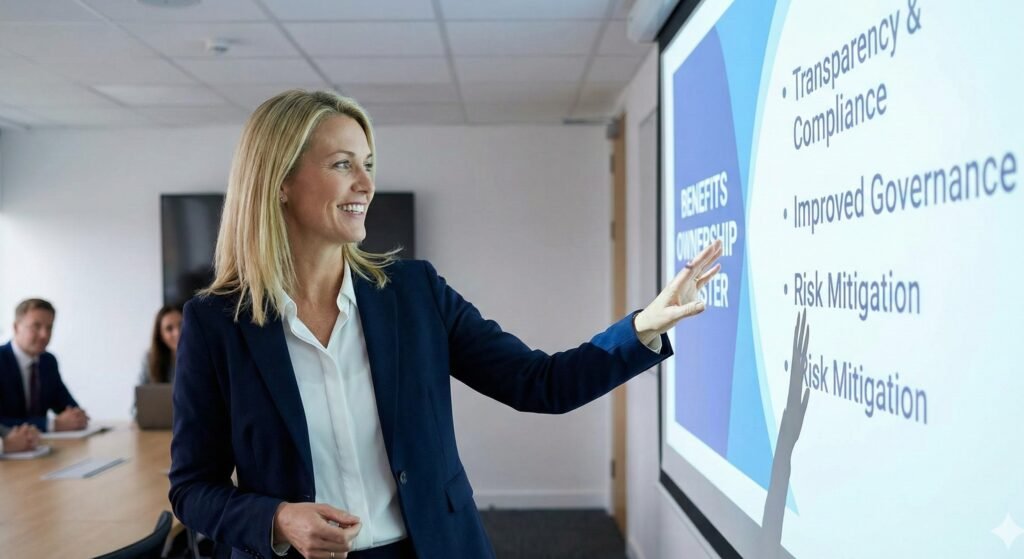
The Benefits Ownership Register is the tool used to formalize this accountability. It is a log, similar to a Risk Register, that assigns a specific human being to every single line item of value claimed in the Business Case. It creates a “Single Point of Accountability” (SPA). It ensures that for every dollar of investment, there is a person whose name is next to the return on that investment.
This template guides you through creating a robust register. It moves beyond a simple list of names and creates a governance structure that binds stakeholders to their promises.
Section 1: The Philosophy of Single Point Accountability
Guidance for Completion
Before populating the rows and columns, you must establish the ground rules. The fundamental principle of this document is that “Shared Ownership is No Ownership.” If you list “The Sales Team” as the owner, no one is responsible. If you list “John and Mary,” John will think Mary is doing it, and Mary will think John is doing it.
The Rules of Ownership
- One Name Only: Every benefit must have exactly one primary owner. You can have “Contributors” or “Enablers,” but only one Owner.
- Seniority: The owner must have the authority to enforce the change. A junior analyst cannot own a benefit that requires changing the behavior of the entire department.
- Stability: The owner should be a permanent role in the business, not a temporary contractor.
Draft Example for the Header
“Governance Principle: This register assigns a Single Point of Accountability (SPA) for each benefit. The individual named as ‘Benefit Owner’ is personally accountable for reporting the realization of the value to the Investment Board. While the Project Manager is responsible for delivering the capability, the Benefit Owner is responsible for exploiting that capability to generate value.”
Section 2: Benefit Identification and Linkage
Guidance for Completion
The first section of the register connects the owner to the specific benefit. You should pull this data directly from the Benefits Realization Outline (Template 13) or the Business Case. Consistency in naming and numbering is vital for audit trails.
Columns to Include
- Benefit ID: (e.g., BEN-001). This must match the Business Case.
- Benefit Title: A short, descriptive name (e.g., “Reduced Call Handling Time”).
- Benefit Type: Financial (Cash), Financial (Non-Cash), or Qualitative.
- Project Dependency: Which project deliverable enables this? (e.g., “New Telephony Platform”).
Draft Example
| ID | Title | Type | Linked Deliverable |
| BEN-01 | Legacy Server Decommissioning | Financial (Cash) | Cloud Migration Complete (Milestone 4) |
| BEN-02 | Improved Customer NPS | Qualitative | New User Interface Launch (Milestone 2) |
| BEN-03 | Warehouse Productivity Uplift | Financial (Non-Cash) | Handheld Scanners Deployment |
Section 3: The Benefit Owner Profile
Guidance for Completion
This is the “Who” section. Accuracy is paramount. Do not simply put a job title; put a name. Job titles do not feel pressure; people do. However, you should also include the Title and Department to ensure continuity if the person leaves.
Columns to Include
- Owner Name: The specific individual.
- Owner Role: Their official job title.
- Department/Unit: The Profit Center or Cost Center that will realize the gain.
- Enablers (Optional): Other people who need to help (but are not accountable).
Draft Example
| ID | Owner Name | Owner Role | Department | Enablers |
| BEN-01 | Jane Doe | IT Infrastructure Director | IT Operations | Finance Director (to update budget) |
| BEN-02 | Mark Smith | VP of Customer Success | Customer Support | UX Design Lead |
| BEN-03 | Sarah Jones | Logistics Manager | Supply Chain | HR Training Lead |
Tip for Success
Negotiating these names is the hardest part of the process. Expect resistance. “Why is my name here?” is a common question. The answer is: “Because this benefit appears in your department’s budget.”
Section 4: Valuation and Targets (The “Contract”)
Guidance for Completion
This section details exactly what the owner is signing up for. It quantifies the promise. Ambiguity here allows the owner to wriggle out of accountability later. “I thought we just had to try to improve it” is not an acceptable stance.
Columns to Include
- Baseline Value: Where are we starting? (e.g., $100k cost).
- Target Value: Where will we end? (e.g., $80k cost).
- Delta (Value Claimed): The difference. (e.g., $20k savings).
- Measurement Unit: Dollars, Hours, Percentage, Points.
- Frequency: How often will they report? (Monthly, Quarterly).
Draft Example
| ID | Baseline | Target | Delta (The Promise) | Unit | Frequency |
| BEN-01 | $250,000 | $0 | $250,000 (Savings) | USD/Year | One-off |
| BEN-02 | +35 NPS | +50 NPS | +15 Points | Net Promoter Score | Quarterly |
| BEN-03 | 100 Units/Hr | 120 Units/Hr | +20 Units/Hr | Throughput | Monthly |
Section 5: The Ownership Acceptance Protocol
Guidance for Completion
This is a column in the register that serves as a “Status Check” on the agreement. Has the owner actually agreed, or did you just write their name down? A benefit without an accepted owner is a “Risk,” not a “Benefit.”
The “Status of Ownership” Column
Use a dropdown status to track the negotiation:
- Proposed: You have nominated them, but they haven’t agreed.
- Negotiating: They agree in principle but are arguing about the target number.
- Accepted: They have formally agreed.
- Rejected: They refuse to own it (Escalate to Sponsor).
Draft Example
- BEN-01 Status: Accepted. (Jane Doe signed off via email on Oct 12th).
- BEN-02 Status: Negotiating. (Mark Smith agrees to own NPS but thinks +50 is unrealistic; he wants to commit to +45).
- BEN-03 Status: Proposed. (We haven’t met with Sarah yet).
Section 6: Measurement Strategy and Source
Guidance for Completion
The Benefit Owner needs to know how they will prove success. The Project Manager should help define the mechanism. If the measurement is “Manual Survey,” the Owner needs to know they are responsible for running that survey.
Columns to Include
- Data Source: Which system? (SAP, Salesforce, SurveyMonkey).
- Calculation Method: The specific formula.
- Validator: Who checks the math? (Usually Finance).
Draft Example
| ID | Data Source | Calculation Method | Validator |
| BEN-01 | General Ledger | GL Code 5004 (Server Maint) variance vs. Last Year | CFO |
| BEN-02 | Customer Gauge | Rolling 3-month average of post-call surveys | Marketing Analyst |
| BEN-03 | Warehouse Mgmt System | Total Units Shipped divided by Total Labor Hours | Ops Director |
Section 7: Budget Adjustment Confirmation (The “Clawback”)
Guidance for Completion
This is the most controversial but effective part of benefits ownership. If a manager claims a project will save their department $100,000, the organization should theoretically reduce their budget by $100,000 for the next year. This is known as “Harvesting the Benefit” or a “Clawback.”
If the manager refuses to have their budget reduced, they do not truly believe in the benefit. This column tracks that financial commitment.
Columns to Include
- Budget Impact: Yes / No.
- Budget Year: Which fiscal year will be adjusted?
- Adjustment Status: Pending / Processed.
Draft Example
- Benefit: BEN-04 (Headcount Reduction).
- Owner: HR Director.
- Budget Impact: Yes.
- Adjustment Status: Processed. The HR Department’s salary budget for FY25 has been reduced by $150,000.
- Note: This confirms the savings are “locked in.”
Section 8: Transition Dates and Handovers
Guidance for Completion
When does the ownership officially start? Usually, it starts when the project delivers the capability (Go-Live). Before Go-Live, the Project Manager owns the delivery. After Go-Live, the Benefit Owner owns the realization.
Columns to Include
- Expected Start Date: When is the capability available?
- Realization Horizon: How long will it take to hit the target? (e.g., 6 months post-live).
- Sunset Date: When do we stop tracking this? (Usually after 1 year or when the benefit is fully embedded in BAU).
Draft Example
| ID | Start Date | Realization Horizon | Sunset Review |
| BEN-01 | Jan 1, 2025 | Immediate (Day 1) | Mar 2025 |
| BEN-02 | Feb 1, 2025 | 6 Months (Ramp up) | Feb 2026 |
| BEN-03 | Jan 15, 2025 | 3 Months (Learning Curve) | Jan 2026 |
Section 9: Tracking Realization Status (The Dashboard)
Guidance for Completion
The register is a living document. It should be reviewed quarterly. You need columns to track actual performance against the target.
Columns to Include
- Current Value: The latest measurement.
- Variance: Target minus Current.
- RAG Status: Red/Amber/Green based on the likelihood of hitting the final target.
- Comments: Explanation of variance.
Draft Example
- Benefit: BEN-03 (Warehouse Productivity).
- Target: 120 Units/Hr.
- Current: 105 Units/Hr.
- Variance: -15.
- RAG Status: Amber.
- Comments: “Adoption of scanners is slower than expected due to Wi-Fi dead zones. IT is installing boosters.”
Section 10: Risks and Dependencies Log
Guidance for Completion
The Benefit Owner needs a place to record why they might fail. This protects them. If they fail because the project delivered a broken tool, the register should reflect that.
Columns to Include
- Owner Risks: What worries the owner?
- Key Dependencies: What do they need from others?
Draft Example
- ID: BEN-02 (NPS Increase).
- Owner Risk: “If the Call Center software has latency issues greater than 2 seconds, agents will get frustrated, and customer service will drop, regardless of the new features.”
- Mitigation: “Owner requires a rigid SLA on system performance from IT before accepting the benefit target.”
Section 11: The “Change of Ownership” Protocol
Guidance for Completion
What happens if Jane Doe leaves the company? The benefit cannot leave with her. This section describes the process for transferring the row in the register to a new person.
The Protocol Text
“In the event that a Benefit Owner transitions out of their role, the accountability for the benefit automatically transfers to the interim holder of that role or the direct line manager until a permanent replacement is appointed. The Project Sponsor must be notified of any ownership changes within 5 business days. A ‘Handover Session’ must be conducted where the outgoing owner briefs the incoming owner on the targets and measurement methods.”
Section 12: Sign-Off Block (The Register Approval)
Guidance for Completion
While individual owners agree to their specific lines, the Project Sponsor and the Finance Director must approve the entire register. This confirms that the sum of these benefits equals the business case promise.
Signature Area
- Finance Director: _____________________
- Statement: “I verify that the financial benefits listed here align with the corporate valuation standards and that budget adjustments have been scheduled.”
- Project Sponsor: _____________________
- Statement: “I verify that these owners are the correct individuals to drive value and that the total value justifies the project investment.”
Section 13: The Negotiation Guide (Tips for PMs)
Guidance for Completion
Filling out this register is 10% data entry and 90% negotiation. You cannot just email this to people. You must meet with them. This section provides a script or guide for those meetings.
The Conversation Script
- The Context: “We are building X Project to help your department. The business case assumes this will save $Y.”
- The Ask: “We need you to validate if $Y is realistic. If we build this tool, can you achieve $Y?”
- The Pushback: “I can’t commit to that because the market is volatile.”
- The Compromise: “Okay, let’s identify the portion that is within your control. Can we agree on a lower target, or perhaps a relative target (e.g., % improvement) rather than an absolute number?”
- The Lock: “Great, I will put you down for the agreed amount. This ensures you get the credit when it succeeds.”
Detailed Example: A Completed Register Row
To visualize how this looks in practice, here is a full narrative example of one entry.
Benefit ID: BEN-05
Title: Reduction in Printing Costs.
Description: Implementation of “Follow-Me” printing and digital signature workflows will reduce the consumption of paper and toner.
Type: Financial (Cash).
Project Delivery:
- Deliverable: New Xerox Fleet & DocuSign License.
- Date: June 1st.
The Owner:
- Name: Robert Green.
- Role: Facilities Manager.
- Dept: Corporate Services.
- Status: Accepted.
The Target:
- Baseline: $12,000/month (Average of 2023).
- Target: $8,000/month.
- Delta: $4,000/month ($48k/year).
- Budget Impact: Facilities Budget reduced by $24k for the remainder of FY24.
Measurement:
- Source: Monthly Vendor Invoice.
- Method: Invoice Total.
- Owner: Robert Green.
Risks:
- “If Legal refuses to use DocuSign for high-value contracts, we will miss the target.” -> Action: Project Sponsor to align with General Counsel.
Conclusion
The Benefits Ownership Register is the backbone of value realization. It transforms the “theoretical value” of the Business Case into the “managed reality” of the operation. Without this register, benefits are essentially orphans; everyone wants the project to succeed, but no one wants to carry the burden of ensuring it does.
By meticulously completing this template, you do more than just fill in a form. You facilitate a series of crucial conversations. You force the business to look in the mirror and ask: “Are we really going to change how we work, or are we just buying expensive software?”
The Benefit Owner is the hero of the post-project world. This register gives them the mandate, the metrics, and the visibility they need to succeed. It also protects the Project Manager. Once the Project Manager delivers the car (the output) and hands the keys to the Benefit Owner (via this register), the Project Manager can sleep soundly, knowing that the responsibility for driving safely to the destination now lies in capable, documented hands.
Remember to keep this register alive. It is not a “fire and forget” document. It should be the first agenda item at every Steering Committee meeting. “How are we tracking against our benefits?” should be the question that guides every decision. If a project change threatens a benefit, the Benefit Owner must be the first to know. This register ensures that connection remains unbroken.
Discover More great insights at www.projectmanagertemplate.com
Explore blog insights at www.projectblogs.com
Discover free project management templates at www.pmresourcehub.com