
Top 7 PMO Automation Strategies to Reduce Administrative Friction
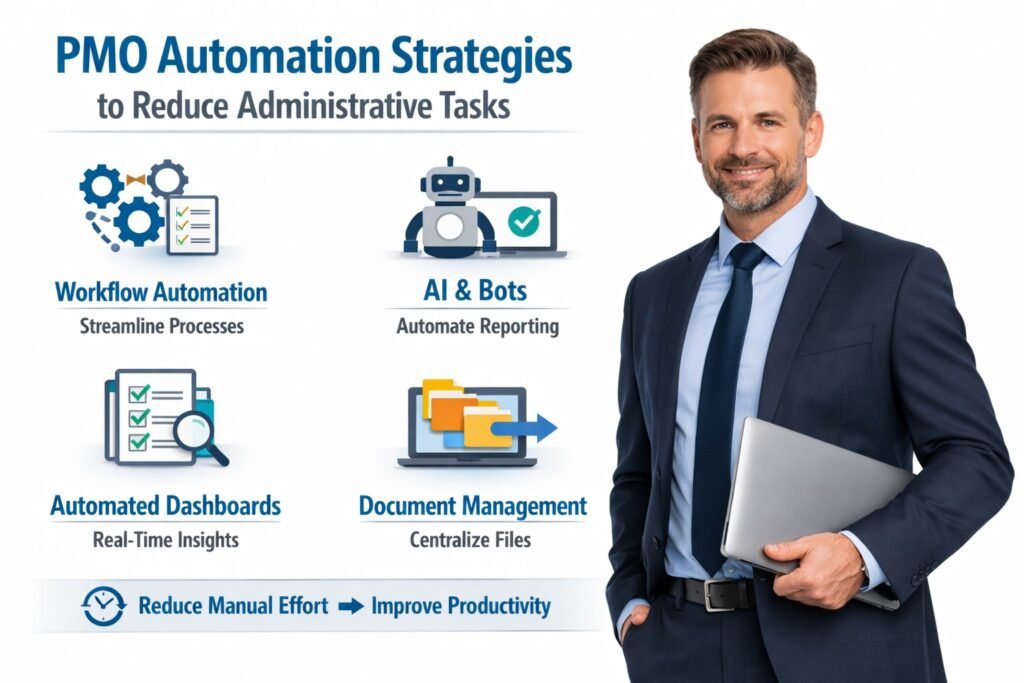
The Project Management Office (PMO) has transformed dramatically in the past decade. As organizations grow and evolve, the need for streamlined operations becomes increasingly critical. Automation is a powerful tool that can help PMOs reduce administrative friction and improve overall efficiency. This article explores the top seven PMO automation strategies that can significantly alleviate administrative burdens, enabling teams to focus on strategic initiatives rather than routine tasks.
Understanding PMO Automation Strategies and Its Importance Today
In the context of modern project management, PMO automation refers to the use of technology to streamline and optimize processes within a project management office. This can include anything from automating report generation to using software that tracks project metrics in real-time. The primary goal is to enhance efficiency and reduce the time spent on administrative tasks, which can often hinder project delivery. By embracing automation, PMOs can allocate resources more effectively, allowing teams to concentrate on their core responsibilities.
The importance of PMO automation cannot be overstated. As the complexity of projects increases, the demand for accurate data and timely reporting grows. Manual processes frequently lead to errors, miscommunication, and delays, all of which can affect project outcomes. Automation tools can significantly mitigate these risks by providing real-time insights and facilitating better decision-making. This not only improves project delivery timelines but also enhances collaboration among stakeholders, creating a more cohesive work environment.
Moreover, in today’s increasingly competitive landscape, organizations that harness the power of PMO automation are more likely to succeed. They can adapt more readily to changes and execute projects with greater agility. By automating repetitive tasks, PMOs can free up valuable time and resources, allowing them to innovate and provide strategic value to the organization. In essence, PMO automation is not just about efficiency; it is a strategic imperative for organizations aiming to achieve their long-term goals.
Identifying Key Administrative Friction Points in PMOs
Before implementing automation strategies, it is essential to identify the primary sources of administrative friction within PMOs. These friction points can manifest in various ways, such as cumbersome reporting processes, inefficient resource allocation, and time-consuming communication chains. Recognizing these bottlenecks allows organizations to tailor their automation efforts effectively.
One significant area of friction is manual reporting. Many PMOs still rely on spreadsheets and email chains to track project statuses and resource allocation. This approach is not only time-consuming but also prone to error. Automating report generation can save hours of manual work, ensuring that stakeholders receive timely and accurate updates without the usual hassle. By implementing reporting tools that pull data from existing systems, PMOs can provide real-time insights effortlessly.
Another common friction point is the lack of standardized processes. When team members have different ways of managing tasks, it can lead to inconsistencies and confusion. Automation can help establish standardized workflows, providing teams with clear guidelines while ensuring that everyone is on the same page. This not only enhances accountability but also makes onboarding new team members much easier, as they can quickly understand the established protocols.
Top Automation Tools for Streamlining PMO Processes
There are numerous tools available that can help streamline PMO processes, each offering unique features to address specific needs. Project management software, such as Asana, Trello, or Monday.com, allows teams to automate task assignments, set deadlines, and track progress in real time. These platforms can significantly reduce the administrative burden by providing a centralized location for project information and updates.
Additionally, tools like Microsoft Power BI or Tableau can automate data visualization and reporting. These platforms can pull data from various project management tools and present it in a digestible format, enabling stakeholders to make informed decisions quickly. Automated dashboards can provide snapshots of project health and resource allocation, allowing PMOs to address issues proactively rather than reactively.
For organizations that require more sophisticated solutions, enterprise resource planning (ERP) systems like SAP or Oracle can integrate various aspects of project management, from budgeting to resource allocation. By automating these interconnected processes, PMOs can gain a holistic view of project performance and make data-driven decisions that align with organizational goals. This level of automation not only reduces friction but also enhances strategic alignment and operational efficiency.
Implementing Workflow Automation for Enhanced Efficiency
Once organizations have identified their administrative friction points and selected appropriate tools, the next step is implementing workflow automation. This process begins with mapping current workflows to identify areas where automation can be most beneficial. Engaging teams in this mapping exercise can foster buy-in and ensure that the automated processes align with their needs.
One effective approach to workflow automation is utilizing process automation software, such as Zapier or Integromat. These tools allow users to create automated workflows between different apps, reducing the need for manual data entry and ensuring that information flows seamlessly from one system to another. For example, when a project status changes in one platform, an automated workflow can send alerts to stakeholders, update reports, and even trigger next steps without human intervention.
Additionally, organizations should consider developing standardized templates for recurring tasks and projects. Automation tools can integrate these templates, making it easier for teams to initiate projects and ensuring consistency across the board. By streamlining processes in this way, PMOs can not only reduce friction but also boost team morale, as employees spend less time on mundane tasks and more time on higher-value activities.
Data Management Solutions to Reduce Manual Efforts
Effective data management is crucial for PMOs looking to reduce administrative friction. Traditional methods of data collection and storage often lead to inaccuracies and inefficiencies. By investing in data management solutions, PMOs can automate data entry, reduce errors, and improve data quality, ultimately leading to better decision-making.
One powerful solution is a centralized data repository that integrates with existing project management tools. This allows teams to access real-time data without the need for manual updates. Cloud-based databases, like Google Cloud or Amazon Web Services, provide scalable solutions for storing and managing data, ensuring that team members can access the information they need whenever they need it. Automation tools can further streamline this process by syncing data between systems, reducing the chances of discrepancies.
Moreover, employing data analytics tools can provide insights into project performance, resource utilization, and potential risks. By automating data analysis, PMOs can generate reports and dashboards that offer valuable insights without consuming significant time or resources. This not only enhances transparency and accountability but also empowers teams to make data-driven decisions quickly, ultimately improving project outcomes.
Leveraging AI for Predictive Analytics in Project Management
Artificial intelligence (AI) is revolutionizing project management by providing advanced predictive analytics capabilities. By analyzing historical data, AI can identify patterns and trends that help PMOs forecast project risks, resource needs, and potential bottlenecks. This level of foresight allows teams to proactively address issues before they escalate, significantly improving project outcomes.
One practical application of AI in PMOs is in resource allocation. Predictive analytics can help identify which team members are likely to be over or underutilized based on their workload and project timelines. By automating this analysis, PMOs can allocate resources more effectively, ensuring that all projects have the necessary manpower without overstretching employees. This not only reduces administrative friction but also enhances team morale, as work distribution becomes more balanced.
Furthermore, AI can assist in risk assessment by analyzing past project data to identify factors that contributed to project failures or delays. By automating this analysis, PMOs can create risk mitigation strategies based on data-driven insights, reducing uncertainty and enhancing project success rates. This predictive capability empowers PMOs to operate more strategically, as they can anticipate challenges and adjust their plans accordingly.
Best Practices for Training Teams on Automation Tools
Implementing automation tools is only half the battle; organizations must also invest in training their teams effectively. Training should not be a one-off event but an ongoing process that reinforces the importance of automation and equips team members with the necessary skills to leverage these tools effectively.
A practical approach is to create a comprehensive training program that includes both formal instruction and hands-on experience. This could involve workshops, webinars, or online courses tailored to the specific tools adopted. Encouraging team participation during the training phase allows for a more engaging experience and fosters a culture of collaboration. Additionally, pairing less experienced team members with automation champions can provide mentorship and increase overall competency.
Moreover, organizations should solicit feedback from team members regarding their experiences with automation tools. Regular check-ins can help identify areas of confusion or resistance, allowing PMOs to address these issues proactively. By fostering an open dialogue and demonstrating the value of automation in reducing administrative friction, organizations can build a more agile and effective project management culture.
Measuring the Impact of Automation on PMO Performance
To truly understand the effectiveness of automation strategies, organizations must establish metrics to evaluate their impact on PMO performance. Key performance indicators (KPIs) like project delivery times, resource utilization rates, and stakeholder satisfaction can provide valuable insights into the success of automation efforts. Setting clear benchmarks before implementing automation allows PMOs to track improvements over time.
Regular assessments of these metrics can provide actionable insights, enabling PMOs to refine their automation strategies continually. For instance, if project delivery times improve significantly after automating reporting processes, this could indicate that the investment in automation was worthwhile. Conversely, if certain areas do not show expected improvements, organizations can investigate further to determine whether adjustments are needed.
In addition to quantitative metrics, qualitative feedback from team members can offer a holistic view of the impact of automation. Surveys and focus groups can help assess how automation has affected team morale, collaboration, and overall job satisfaction. By combining quantitative and qualitative assessments, PMOs can create a comprehensive view of how automation has transformed their operations and identify areas for further enhancement.
Frequently Asked Questions About PMO Automation Strategies
What are PMO Automation Strategies and why are they important?
PMO automation refers to using technology to streamline and optimize processes within a Project Management Office. It helps reduce administrative tasks such as manual reporting, resource tracking, and communication bottlenecks. By implementing automation, PMOs can improve efficiency, minimize errors, and provide real-time insights, allowing teams to focus on strategic initiatives rather than routine work.
How can PMO Automation Strategies reduce administrative friction?
Automation targets repetitive and time-consuming tasks. Examples include automated report generation, workflow standardization, and real-time project metric tracking. This reduces the need for manual data entry, email chains, and spreadsheets, which often cause delays and miscommunication, ultimately allowing PMOs to operate more smoothly and accurately.
What are common friction points in PMO operations?
Common sources of friction in PMOs include: cumbersome manual reporting, inconsistent workflows, inefficient resource allocation, and slow communication chains. Identifying these bottlenecks is critical before implementing automation, as it allows organizations to focus on the processes that will benefit most from technology-driven improvements.
Which PMO processes are best suited for automation?
Processes that are highly repetitive or data-intensive are ideal candidates for automation. This includes generating project status reports, tracking resource utilization, monitoring KPIs, standardizing workflows, and facilitating team communications. Automating these tasks improves accuracy, saves time, and ensures consistency across the PMO.
What are the top tools for PMO Automation Strategies?
There are several tools designed to streamline PMO operations, including: Microsoft Project for scheduling and reporting, Smartsheet for workflow automation, Wrike and Asana for task management, and enterprise dashboards for real-time KPI tracking. These tools enable PMOs to integrate data, automate routine tasks, and provide actionable insights to executives and stakeholders.
How does PMO automation improve collaboration among teams?
By standardizing processes and providing real-time access to project data, automation enhances transparency and accountability. Teams can see task assignments, deadlines, and progress in a centralized platform, which reduces miscommunication and ensures everyone is aligned. Automated notifications and dashboards further facilitate collaboration, keeping all stakeholders informed without manual follow-ups.
Can PMO Automation Strategies help with strategic decision-making?
Yes. Automation not only saves time but also provides accurate, real-time data that PMOs can use to make informed decisions. By reducing manual reporting and operational friction, leaders can focus on resource allocation, project prioritization, and risk mitigation, which enhances the PMO’s strategic value within the organization.
How should organizations start implementing PMO automation?
Organizations should first identify the most time-consuming and error-prone processes. Next, select automation tools that integrate with existing systems and workflows. Start with small pilot projects to test efficiency gains and then scale automation across reporting, task management, and resource tracking. Continuous monitoring and optimization ensure the automation strategy remains effective as the PMO evolves.
Conclusion – PMO Automation Strategies
As organizations navigate the complexities of project management in an increasingly fast-paced environment, embracing PMO automation strategies is not merely an option but a necessity. By leveraging the right tools and techniques, PMOs can substantially reduce administrative friction, allowing teams to focus on delivering value and driving innovation.
The insights shared in this article can serve as a roadmap for organizations looking to embark on their automation journey, fostering a more efficient and effective project management culture.
Hashtags: #PMOAutomation #ProjectManagement #WorkflowEfficiency #DataManagement #AIInsights
External Source: For further insights on automation in project management, explore the blog on Using Automation, Tools and AI for PMO Efficiency and Velocity by Gartner
Discover More great insights at:
https://pmresourcehub.com/project-reporting/
https://pmresourcehub.com/risk-management/
https://pmresourcehub.com/consulting/