
Essential PM Software Every Team Needs
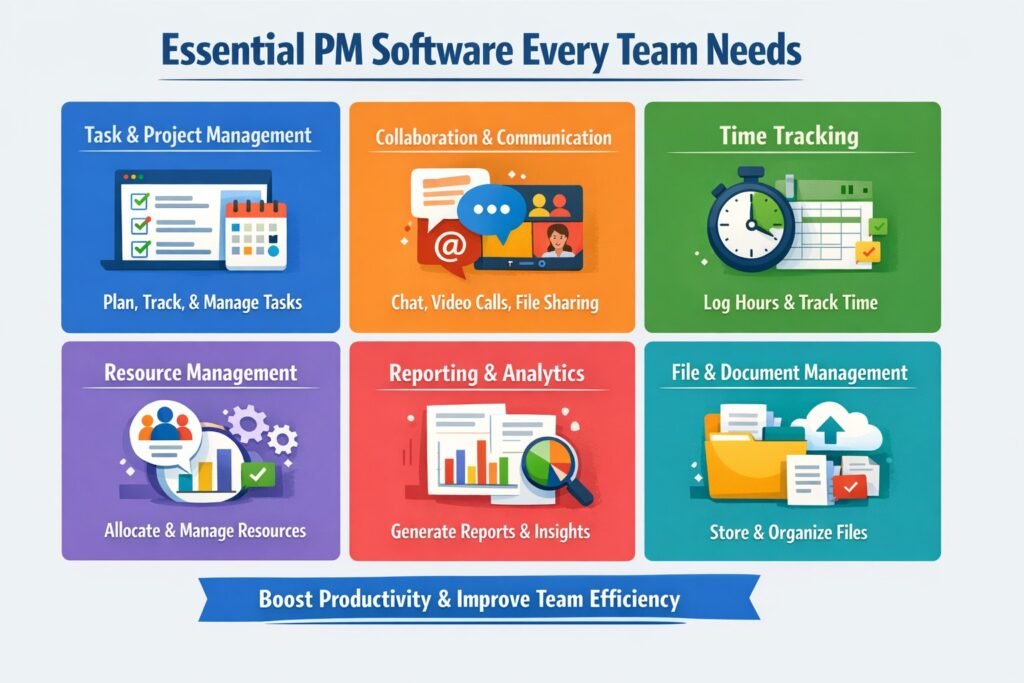
Effective project management (PM) software is crucial for teams to thrive in today’s fast-paced business environment. With the increasing complexity of projects and the need for seamless collaboration, having the right tools at your disposal is no longer optional but essential. This article will explore the best PM software available, focusing on their features, collaboration capabilities, and how they can transform the way teams operate within corporate enterprises. I hope you enjoy reading this blog Essential PM Software Every Team Needs.
Why Every Team Needs the Right PM Software Today
In an increasingly competitive landscape, efficient project management software can serve as a game-changer for teams. Whether it’s a tech startup or a multinational corporation, effective PM tools can streamline workflows, monitor progress, and enhance productivity. The dynamics of modern work require teams to adapt quickly, and PM software provides the flexibility and functionality necessary for seamless adjustments.
Moreover, the rise of remote work and global teams has amplified the need for robust PM solutions. Teams are no longer confined to a single office, and as such, the ability to manage tasks, share documents, and communicate in real-time across various locations has become paramount. PM software facilitates this, enabling teams to collaborate effectively despite geographical barriers.
Finally, the right PM software can improve transparency and accountability within teams. With tools that track progress and provide visibility into each member’s contributions, it becomes easier to identify bottlenecks and successes alike. This fosters a culture of responsibility and encourages team members to take ownership of their tasks while promoting collaborative efforts toward common goals.
Key Features to Look for in PM Software Solutions
When evaluating PM software, it’s essential to consider specific features that can significantly enhance your team’s effectiveness. Firstly, task management capabilities should be robust, allowing users to create, assign, and prioritize tasks seamlessly. Features like drag-and-drop task assignments and customizable workflows can save time and boost productivity, making it easier to adapt to changing project requirements.
Another critical feature is reporting and analytics. Effective PM software should offer insights into project performance, resource allocation, and team productivity. Real-time dashboards and customizable reporting tools can provide valuable data that informs decision-making. Teams can analyze the effectiveness of their strategies and make data-driven adjustments to improve results.
Additionally, user-friendly interfaces and mobile accessibility are vital to ensuring that all team members can engage with the software effectively. A steep learning curve can hinder adoption, so intuitive design helps facilitate smoother transitions. Likewise, mobile compatibility ensures that team members can stay connected and engaged regardless of their location, promoting a culture of collaboration even in remote or hybrid work environments.
Top PM Software Options for Large Enterprises
When it comes to large enterprises, several PM software options stand out for their scalability and comprehensive features. One of the top contenders is Microsoft Project, which is renowned for its robust project planning and scheduling capabilities. It integrates seamlessly with the Microsoft ecosystem, allowing teams to leverage familiar tools while enhancing project management efficiency. This is especially beneficial for organizations already utilizing Microsoft Office 365, as it creates a cohesive work environment.
Asana is another popular choice for large teams looking to enhance collaboration and transparency. Its visual project mapping features allow users to see tasks at a glance, fostering better communication. Asana’s integrations with various apps, including Slack and Google Drive, make it highly adaptable, ensuring that it can fit within a myriad of workflows.
Lastly, Jira remains a go-to solution for software development teams within large enterprises. Designed with Agile methodologies in mind, Jira provides tools for sprint planning, bug tracking, and team collaboration. Its customizable workflows and detailed reporting capabilities make it an excellent fit for tech-focused organizations aiming to optimize their development processes.
How PM Software Enhances Team Collaboration Efforts
Effective collaboration is at the heart of successful project management, and the right PM software can amplify this effort. By providing a centralized platform where team members can share updates, documents, and feedback, PM tools foster a collaborative environment that transcends traditional silos. This increased visibility into project processes leads to better communication and a shared understanding of objectives.
With features like real-time chat and discussion boards, PM software enables teams to communicate instantly, which can help resolve issues quickly and keep projects on track. Rather than relying on long email threads or scattered information across different platforms, teams can engage in direct conversations within the PM tool. This streamlining not only saves time but also enhances the quality of interactions among team members.
Moreover, collaboration tools integrated into PM software can facilitate brainstorming sessions and idea-sharing among team members, leading to more innovative solutions. With the ability to tag team members in discussions or assign tasks based on feedback, everyone feels involved and valued in the decision-making process. This not only boosts morale but also fosters a sense of ownership over project outcomes.
The Role of Integrations in Effective PM Solutions
In today’s tech-driven landscape, integrations are a critical component of effective PM software. Organizations often use multiple tools for different functions, and the ability of PM software to integrate with these tools can significantly enhance productivity. Common integrations include cloud storage solutions, communication platforms, and customer relationship management (CRM) systems, among others.
For instance, integrating PM software with tools like Slack or Microsoft Teams allows teams to receive project updates and collaborate without switching between applications. This reduces friction in communication and ensures that everyone is on the same page, leading to faster decision-making and improved project outcomes.
Furthermore, seamless integration with analytics tools can provide teams with valuable insights into their performance, enabling data-driven decisions. By leveraging integrations, teams can create a customized project management ecosystem that fits their unique workflows and needs, ultimately enhancing efficiency and collaboration.
Measuring Success with PM Software: Key Metrics
To assess the effectiveness of PM software, organizations must establish key performance indicators (KPIs) that align with their project goals. Metrics such as project completion rate, resource utilization, and team productivity are crucial for understanding how well the software is serving the team. By regularly reviewing these metrics, organizations can identify areas for improvement and make informed adjustments.
Another important metric to consider is stakeholder satisfaction. Gathering feedback from team members and stakeholders allows organizations to gauge the effectiveness of their PM software in meeting expectations. Tools that facilitate feedback collection and analysis can provide insights into how well the software supports collaboration and communication.
Finally, tracking time management metrics can reveal how efficiently teams are utilizing their time and resources. By analyzing time spent on tasks versus time allocated, organizations can identify potential bottlenecks and reallocate resources where necessary. This level of analysis is essential for optimizing project workflows and ensuring that teams are working at their full potential.
Overcoming Common Challenges with PM Software
Despite the many benefits of PM software, implementing and utilizing these tools can present challenges. One common issue is resistance to change, as team members may be accustomed to their existing processes. To overcome this, organizations should prioritize training and provide resources to help team members adapt. Offering hands-on workshops or online tutorials can ease the transition and increase overall buy-in.
Another challenge is data overload. With the wealth of information available through PM software, teams can sometimes struggle to identify what’s most relevant. Establishing clear guidelines for reporting and dashboards can help teams focus on the most crucial data points. Customizing views based on user roles can also minimize clutter, ensuring that team members are not overwhelmed by unnecessary information.
Lastly, ensuring that PM software remains aligned with evolving team needs is vital. As projects evolve and team dynamics shift, so too should the tools being utilized. Regular check-ins to evaluate the software’s effectiveness, followed by adjustments or upgrades as needed, can help maintain alignment with organizational goals and team objectives.
Below is a corporate-grade FAQ section tailored for an enterprise audience, aligned with decision-makers, PMOs, and delivery teams evaluating project management software.
Frequently Asked Questions (FAQ)
What is project management software and why is it important for enterprises?
Project management software is a centralized platform used to plan, execute, track, and govern projects. In enterprise environments, it is essential for maintaining visibility across multiple initiatives, standardizing delivery processes, managing risk, and ensuring alignment between projects and organizational strategy.
How does PM software improve collaboration across large teams?
Modern PM software enables real-time collaboration through shared workspaces, task assignments, document management, and integrated communication tools. For distributed or global teams, these platforms provide a single source of truth, reducing miscommunication and enabling teams to work cohesively regardless of location.
What features should enterprises look for in PM software?
Enterprises should prioritize features such as portfolio management, role-based access controls, workflow automation, advanced reporting, integrations with enterprise systems (ERP, CRM), and strong security and compliance capabilities. Scalability and governance support are also critical for managing complex delivery environments.
Is PM software suitable for both agile and traditional project methodologies?
Yes. Most leading PM tools support hybrid delivery models, enabling organizations to manage agile, waterfall, and mixed-method projects within the same platform. This flexibility allows teams to adapt their approach based on project complexity, regulatory requirements, and business objectives.
How does PM software support executive reporting and decision-making?
PM software provides dashboards, real-time metrics, and performance analytics that give executives clear visibility into project health, risks, costs, and timelines. This data-driven insight supports faster, more informed decision-making and improves governance at both project and portfolio levels.
Can PM software help improve accountability and performance?
Absolutely. By clearly assigning ownership, tracking progress, and logging changes, PM software increases accountability across teams. Transparency into task status and performance metrics helps identify issues early, promotes ownership, and drives continuous improvement.
How does PM software support remote and hybrid work environments?
PM platforms are designed to support geographically dispersed teams by enabling cloud-based access, asynchronous collaboration, and integrated communication. This ensures continuity, consistency, and productivity regardless of where team members are located.
What challenges can PM software help organizations overcome?
PM software helps address common challenges such as poor visibility, missed deadlines, resource constraints, and inconsistent processes. By centralizing planning and execution, organizations can reduce delivery risk and improve predictability across initiatives.
Is PM software only beneficial for project managers?
No. While project managers are primary users, PM software also benefits executives, sponsors, PMOs, finance teams, and operational leaders by providing transparency, control, and insight into project performance and business impact.
How long does it take to see value after implementing PM software?
Value can be realized quickly through improved visibility and coordination, but full benefits typically emerge once teams adopt standardized processes and reporting. For enterprises, measurable improvements are often seen within 3–6 months, depending on scale and maturity.
Should PM software be customized for enterprise use?
Yes. Enterprises often require configuration to align with governance models, approval workflows, reporting standards, and compliance requirements. The best PM software platforms offer flexible customization without compromising scalability or system integrity.
Future Trends in Essential PM Software Every Team Needs
As technology continues to advance, the landscape of project management software is evolving rapidly. One of the most promising trends is the integration of artificial intelligence (AI) into PM tools. AI can offer predictive analytics, helping teams identify potential project risks and suggesting optimal resource allocation. This data-driven approach can empower teams to make proactive decisions rather than reactive ones.
Another emerging trend is the rise of low-code and no-code platforms, allowing teams to customize their PM software without needing extensive technical expertise. This democratization of software customization enables organizations to adapt their tools to fit unique workflows and requirements, fostering a more personalized project management experience.
Finally, the focus on employee well-being and work-life balance is likely to shape the future of PM software. Tools that promote mental health and wellness, such as features encouraging regular breaks or workload balancing, are becoming increasingly important. As companies recognize the link between employee satisfaction and productivity, PM software that supports holistic well-being will be essential for future success.
The right project management software is more than just a tool; it’s a strategic asset that can drive efficiency, enhance collaboration, and improve project outcomes. By investing in the right solutions and focusing on their implementation, enterprises can navigate the complexities of modern project management and empower their teams to achieve greater success. Embracing technology can transform how we manage projects, making it easier to adapt to the ever-changing business landscape.
Meta Description: Discover essential project management software every team needs to enhance collaboration, streamline workflows, and improve productivity in large enterprises.
Hashtags: #ProjectManagement #TeamCollaboration #EnterpriseSoftware #ProductivityTools #InnovativeSolutions
External Source: Best 21 Project Management Tools in 2026 by Wrike. https://www.wrike.com/project-management-guide/faq/what-are-project-management-tools/
Discover More great insights at http://www.pmresourcehub.com
Explore Free Project Management Templates https://pmresourcehub.com/library/