
Freelance Productivity Tools to Optimize Your Workflow
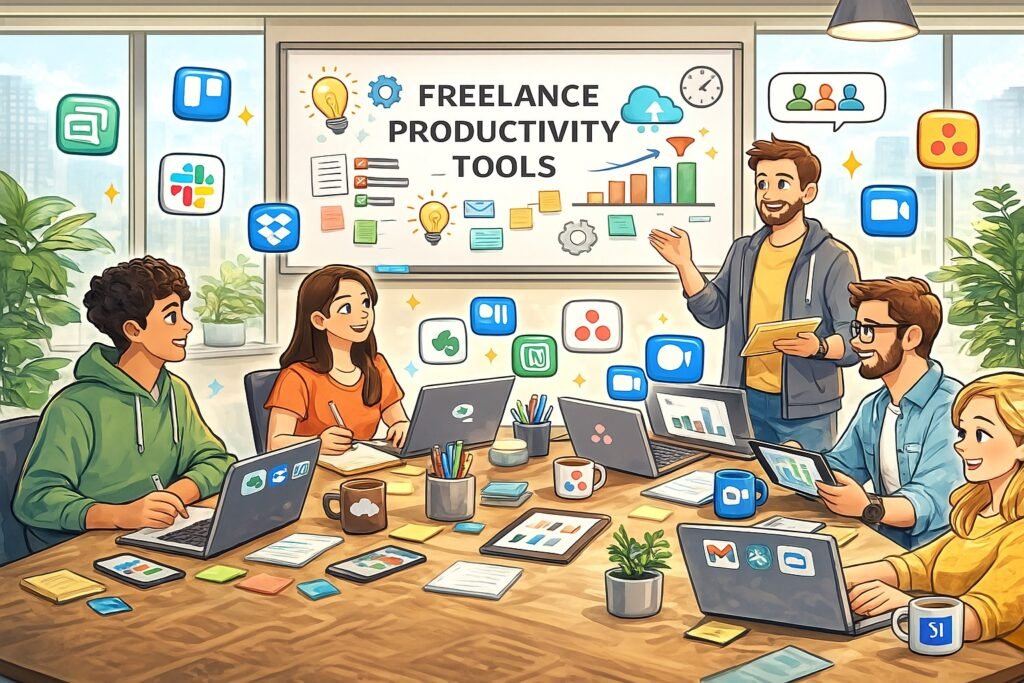
Freelancing, once considered a side hustle, has evolved into a full-fledged career choice for many. In this dynamic landscape, freelancers are constantly seeking ways to enhance their productivity and efficiency. The right Freelance Productivity Tools can make a significant difference in managing time, finances, and client relationships. This article explores essential productivity tools that not only simplify tasks but also enable freelancers to thrive in their respective fields. Whether you’re a graphic designer, writer, or consultant, these tools can elevate your freelance game.
Essential Productivity Tools Every Freelancer Needs Today
In the ever-evolving landscape of freelancing, having the right tools at your disposal is crucial for success. First on the list is a robust project management tool. Platforms like Trello and Asana provide intuitive interfaces that help freelancers organize tasks, set deadlines, and collaborate with clients and team members. The visual layouts of these tools allow for easy tracking of project progress, ensuring that deadlines are met without a hitch. Additionally, time tracking features enable freelancers to monitor how much time they devote to various tasks, helping to optimize efficiency.
Another essential tool is a communication platform. Slack and Microsoft Teams have revolutionized the way freelancers interact with clients and collaborators. These platforms offer real-time messaging, video calls, and file sharing, streamlining communication and minimizing the back-and-forth typical in email correspondence. The ability to create different channels for various projects or teams enhances organization as well. With communication streamlined, freelancers can focus on the creative aspects of their work, leading to better collaboration and project results.
Lastly, financial management tools are indispensable for freelancers. Software like QuickBooks and FreshBooks simplifies invoicing, expense tracking, and financial reporting. These platforms not only save time but also reduce the likelihood of errors, which can cost freelancers significantly. With automated invoicing features, freelancers can ensure they receive timely payments, allowing them to concentrate on their core business activities without worrying about financial administration.
How Time Management Apps Boost Freelance Efficiency
Effective time management is a cornerstone of freelance success. Time management apps like Toggl and RescueTime offer features that empower freelancers to take control of their schedules. With Toggl, freelancers can easily start and stop timers for specific tasks, providing valuable insights into how their time is spent. This data can be analyzed to identify areas needing improvement, enabling freelancers to optimize their workflows. The app also allows for reporting, which can be useful when providing clients with time spent on projects, enhancing transparency and trust.
RescueTime, on the other hand, operates in the background, tracking how much time is spent on applications and websites. It offers detailed reports and insights, helping freelancers understand their productivity patterns. By identifying distractions, freelancers can make informed decisions about how to allocate time more effectively. The ability to set goals and alerts further enhances control over time management. For example, a freelancer may set an alert when they spend too much time on non-essential tasks, prompting them to refocus on high-priority work.
Integrating these time management apps into daily routines can lead to significant productivity gains. By providing insights into work habits, these tools help freelancers make data-driven decisions about their time. When time is managed effectively, freelancers can deliver higher quality work, meet deadlines more consistently, and ultimately enhance client satisfaction, leading to repeat business and referrals.
Communication Platforms for Seamless Collaboration
In the freelance world, communication is key to successful project execution. Platforms like Zoom and Google Meet have become essential for freelancers needing to conduct meetings and presentations with clients. The ease of scheduling video calls, coupled with screen sharing capabilities, allows for more effective discussions about project updates and feedback. This visual aspect of communication helps ensure that both parties are on the same page, reducing the risk of misunderstandings that can occur in written correspondence.
For ongoing projects, tools like Slack and Discord can facilitate continuous dialogue. These platforms allow for real-time messaging, file sharing, and even integrations with other productivity tools. Freelancers can create dedicated channels for specific projects or clients, keeping conversations organized and easily accessible. The informal nature of these platforms also encourages open communication, fostering stronger relationships with clients and collaborators.
Having a diverse array of communication tools at your disposal empowers freelancers to choose the method that best fits their needs. Whether through quick chat messages, comprehensive video conferences, or organized collaboration channels, the key is to choose platforms that align with the expectations of clients. Clear and consistent communication can lead to better project outcomes and increased satisfaction on both ends.
Task Management Tools to Streamline Your Workflow
Task management tools are vital for freelancers juggling multiple projects and deadlines. Platforms such as ClickUp and Monday.com offer customizable workflows that allow freelancers to tailor task management to their specific needs. With features like to-do lists, priority settings, and timeline views, these tools help freelancers visualize their workload and stay organized. Having a clear overview of tasks enables freelancers to focus on what needs to be done, reducing stress and increasing productivity.
Integration capabilities with other software also enhance the effectiveness of task management tools. For instance, linking ClickUp with Google Calendar can help synchronize deadlines, ensuring that nothing falls through the cracks. By consolidating various aspects of project management into one platform, freelancers can streamline their workflows and save time. Automation features, such as recurring tasks or reminders, further enhance efficiency, allowing freelancers to focus on creative work instead of administrative details.
Ultimately, the right task management tool can transform a freelancer’s workflow. By providing clarity and organization, these tools empower freelancers to work smarter, not harder. When tasks are tracked effectively, freelancers can meet deadlines, maintain strong client relationships, and achieve a better work-life balance, crucial for long-term success in the freelance realm.
Financial Tools for Freelancers: Invoicing Made Easy
Managing finances is a crucial aspect of freelancing, and having the right financial tools can save time and reduce stress. Software like Wave and Zoho Invoice allows freelancers to automate invoicing processes, making it easy to bill clients accurately and promptly. With customizable invoice templates, freelancers can present a professional image while ensuring they are paid for their work. These platforms often integrate with bank accounts to streamline expense tracking, giving freelancers a clear picture of their financial health.
One of the standout features of these financial tools is the ability to set reminders for upcoming payments. This proactive approach minimizes the risk of late payments, allowing freelancers to maintain a steady cash flow. Additionally, these tools often provide detailed financial reports, aiding freelancers in budgeting and financial forecasting. This insight is invaluable for freelancers wanting to grow their businesses and make informed financial decisions.
Furthermore, the importance of security cannot be overstated when it comes to financial management. Many of these tools offer secure payment options, ensuring that client transactions are safe. By utilizing specialized financial tools, freelancers can not only streamline their financial processes but also focus on their core work, ultimately driving growth and sustainability in their freelance careers.
Creative Software for Designing Effective Projects
For freelancers in creative fields, having the right design software is non-negotiable. Tools like Adobe Creative Cloud and Canva enable freelancers to produce high-quality work that meets client expectations. Adobe Creative Cloud offers a suite of professional design tools, from Photoshop for image editing to Illustrator for vector graphics. This comprehensive package allows creative freelancers to execute virtually any project, making it a favorite among designers and multimedia artists.
Canva, on the other hand, provides an accessible alternative for those who may not be graphic design experts. With its user-friendly interface and extensive library of templates, freelancers can quickly create visually appealing presentations, social media graphics, and marketing materials. This versatility makes Canva a popular choice for freelancers who need to produce high-quality designs without investing extensive time in learning complex software.
Incorporating the right creative software into a freelancer’s toolkit is essential for delivering exceptional work. As the demand for high-quality visuals continues to rise, having access to professional-grade tools can set freelancers apart in a competitive market. Ultimately, investing in the right software not only enhances the quality of work but also boosts the confidence of freelancers in their creative abilities.
Cloud Storage Solutions for Enhanced File Access
Accessibility and security are paramount when it comes to managing files in the freelance world. Cloud storage solutions like Google Drive and Dropbox provide freelancers with the ability to store, share, and access files from anywhere. This flexibility is especially beneficial for freelancers who work with clients across different locations. With features that allow for real-time collaboration on documents and projects, these platforms facilitate seamless teamwork and feedback processes.
The security of sensitive client information is another crucial aspect. Cloud storage providers often implement advanced encryption methods and regular backups, ensuring that data is protected against loss or breaches. By utilizing these secure platforms, freelancers can rest easy knowing that their work and client data are safeguarded. Additionally, features like version control enable freelancers to track changes made to documents, allowing for easy retrieval of previous versions when needed.
Choosing the right cloud storage solution can significantly impact a freelancer’s productivity and peace of mind. By streamlining file management, these platforms free up time that can be better spent on client work. Ultimately, reliable cloud storage solutions enhance collaboration, security, and accessibility, which are all essential for freelance success.
Tips for Choosing the Right Tools for Your Business
When it comes to selecting productivity tools, freelancers must consider their unique needs and workflows. First, assess the specific challenges faced in your daily operations. Are you struggling with time management, or is communication with clients a bottleneck? Identifying pain points is the first step in selecting tools that address these issues effectively. For instance, if time tracking is a challenge, investing in a dedicated time management app may be a priority.
Next, consider integration capabilities. Many productivity tools offer integrations with other software, allowing for seamless workflows. For example, if you already use Google Workspace for email and calendars, choosing task management tools that integrate well with it can enhance efficiency. Additionally, prioritize user-friendly interfaces. The best tools are those that you enjoy using and that fit naturally into your workflow. A complicated tool may add unnecessary frustration and reduce productivity.
Lastly, don’t hesitate to take advantage of free trials or demo versions. Many productivity tools offer trial periods, allowing freelancers to explore features without committing financially. This hands-on experience can help assess compatibility with your business needs. Ultimately, taking the time to choose the right tools can lead to significant improvements in productivity, organization, and overall freelance success.
Finding the right productivity tools is essential for freelancers aiming to enhance their efficiency and deliver high-quality work. By leveraging the right project management, communication, and financial tools, freelancers can streamline their workflows, improve client relationships, and ultimately achieve greater success in their careers. As the freelance landscape continues to evolve, embracing technology and innovation will be key to thriving in this dynamic environment
Here is a clear, practical FAQ section written to fit naturally with the blog’s tone and audience. It focuses on freelancer productivity, tools, and real-world usage, and is formatted for easy use in Google Docs or Word.
Frequently Asked Questions
Why are productivity tools so important for freelancers?
Freelancers are responsible for managing every aspect of their business, from delivering work to communicating with clients and handling finances. Productivity tools help centralize these responsibilities, reduce manual effort, and create structure, allowing freelancers to focus more on billable work and less on administrative tasks.
Do freelancers really need project management tools?
Yes. Project management tools help freelancers track deadlines, manage multiple clients, and break work into manageable tasks. Even solo freelancers benefit from visual task tracking, progress monitoring, and reminders that reduce the risk of missed deadlines or overlooked deliverables.
Which productivity tools are best for freelancers working alone?
Solo freelancers often benefit most from lightweight tools that are easy to set up and maintain. Tools like Trello for task management, time tracking apps for monitoring productivity, and simple invoicing platforms help maintain control without adding unnecessary complexity.
How do communication tools improve freelance work?
Communication tools streamline conversations with clients and collaborators by reducing reliance on email. Real-time messaging, video calls, and file sharing help resolve issues faster, clarify expectations, and maintain professional relationships, especially when working with remote or international clients.
Are financial management tools worth the cost for freelancers?
Financial tools are often worth the investment because they save time, reduce errors, and improve cash flow. Automated invoicing, expense tracking, and financial reporting help freelancers stay organized, ensure timely payments, and maintain accurate records for tax purposes.
Can productivity tools help freelancers scale their business?
Yes. As freelancers take on more clients or larger projects, productivity tools provide the structure needed to scale. Standardized workflows, clear task tracking, and automated financial processes make it easier to handle increased workload without sacrificing quality.
Do these tools work across different freelance professions?
Most productivity tools are industry-agnostic and can be adapted to various freelance roles, including designers, writers, consultants, developers, and marketers. The key is selecting tools that match the complexity and volume of your work rather than your specific profession.
How many tools should a freelancer use?
More tools do not always mean higher productivity. Freelancers should aim for a balanced toolkit that covers project management, communication, and financial tracking without overlapping functionality. Simplicity and consistency are often more effective than managing too many platforms.
Are free versions of productivity tools sufficient?
Free versions can be sufficient for freelancers at early stages or with limited workloads. However, as client volume increases, paid features such as advanced reporting, automation, or integrations often provide significant value and efficiency gains.
How should freelancers choose the right productivity tools?
Freelancers should evaluate tools based on ease of use, scalability, integration with existing workflows, and overall cost-benefit. Testing free trials and gradually adopting tools helps ensure they enhance productivity rather than create additional overhead.
Conclusion – Freelance Productivity Tools to Optimize Your Workflow
Freelancing has evolved from a flexible side pursuit into a sustainable and competitive career path. As client expectations rise and workloads become more complex, productivity is no longer optional. Freelancers must manage projects, communication, time, and finances with the same discipline as larger organizations, often without the support structures those organizations rely on.
The right productivity tools enable freelancers to work more efficiently, stay organized, and maintain professional standards across every aspect of their business. From managing deadlines and client communications to tracking time and handling invoices, these tools reduce administrative friction and allow freelancers to focus on delivering high-quality work.
This detailed blog is an essential read that explores essential productivity tools that help freelancers streamline workflows, improve efficiency, and build a scalable foundation for long-term success, regardless of industry or specialization.
Hashtags: #FreelanceSuccess #ProductivityTools #TimeManagement #CreativeSoftware #CloudStorage
External Source: Explore Tech Pros Share Their Favorite Productivity Tools And Tips from Forbeshttps://www.forbes.com/councils/forbestechcouncil/2024/08/29/tech-pros-share-their-favorite-productivity-tools-and-tips/
Explore Free Project Management Templates
Discover More great insights at www.pmresourcehub.com